
Product Mockups: How to Present Your Design Ideas Like a Pro
A logo on a white artboard rarely gets anyone excited. Put that same logo on a pair of headphones worn by a real person, and suddenly the client can see their brand out in the world. That is the power of a good product mockup. It bridges the gap between a design file and the finished product, helping people understand and approve ideas faster.
In this article, we'll look at why mockups work so well in presentations, how to choose the right one for each project and the small details that make a mockup look real instead of fake. Our goal is to help you present your design ideas with more confidence and win approval in fewer rounds.

Why Mockups Win Approval
Most clients are not designers. They find it hard to imagine how a flat logo or pattern will look on a real object. A mockup removes that guesswork and shows the design in context. Mockups are especially useful for:
- Logos on merchandise and packaging
- Headphones, gadgets and accessories
- Apparel and streetwear prints
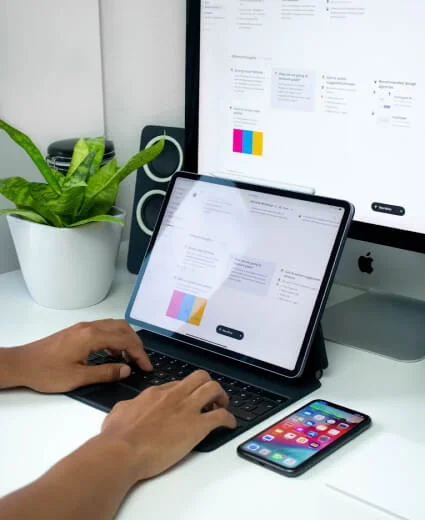
- App and website screens on devices
- Signage and outdoor advertising
- Social media and campaign previews
When clients can see the design where it will actually live, feedback becomes clearer and more useful, and the conversation moves from personal taste to real-world results.
Choosing the Right Mockup
The best mockup is the one that matches how your audience will meet the product. A tech brand might need its logo on headphones or a phone case, while a fashion label needs real people wearing the clothes. Pay attention to the mood as well as the object. A mockup photographed outdoors against a bright sky feels active and lifestyle-focused, while a studio shot on a dark background feels premium and technical. Always pick images with good resolution, natural lighting and enough space around the product, so the design stays the hero. If a mockup looks cheap or out of date, it will drag your design down with it, no matter how strong the idea is.
"Clients don't buy a design file. They buy the moment they can picture it in the real world."

Making Mockups Look Real
A convincing mockup is all about the details. Small mistakes, like a logo that ignores the curve of a surface, instantly break the illusion. Keep these tips in mind:
Match the Light and Angle
Your design should follow the same light, shadows and perspective as the product. Use warp and displacement tools so artwork wraps naturally around curves, and add subtle highlights so it feels printed or embossed rather than pasted on top.
Use Real Content
Placeholder text and fake data make a mockup feel unfinished. Show the real logo, real colors and real copy whenever you can. If you are presenting an app or website, use realistic screens that reflect how people will actually use the product. Real content helps clients judge the design properly and spot problems early.
Know When to Shoot for Real
Mockups are perfect for early approval, but final campaigns often deserve a real photoshoot with the finished product.
Used thoughtfully, mockups save time, reduce revisions and help clients fall in love with your ideas before a single product is made.